
Best VMS Features for Educational Facilities: Complete School Video Management Buyer's Guide | Affinitech Store
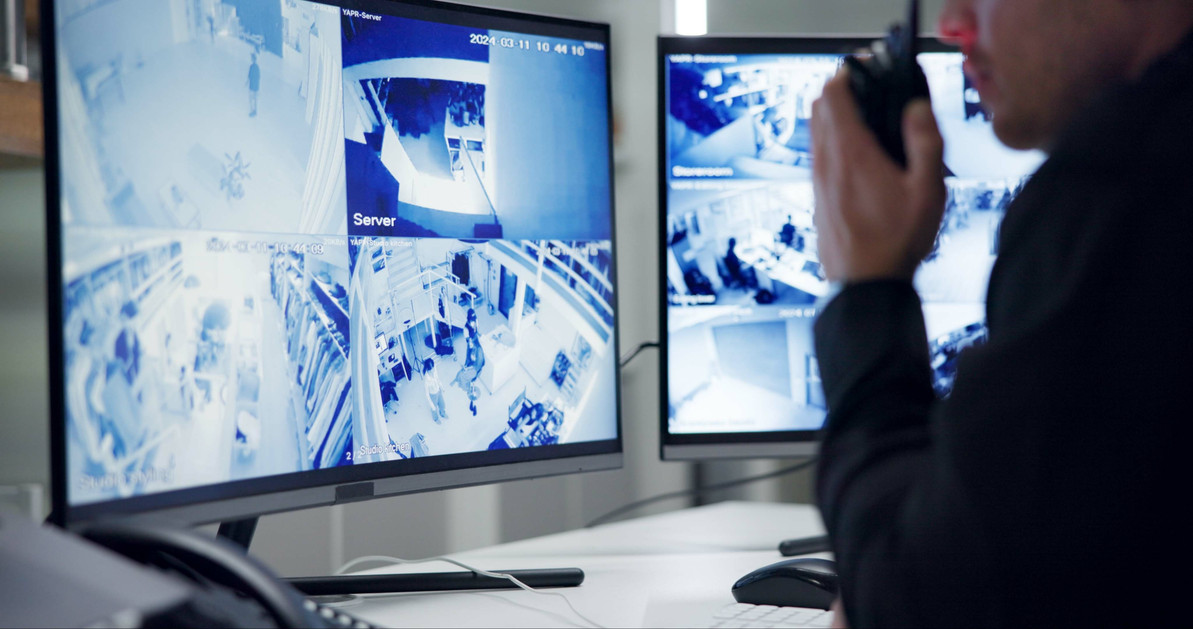
Schools are installing more cameras than ever, but the camera is only half the system. The video management system (VMS) determines how quickly staff can find footage, how alerts reach the right people, how video connects with access control and lockdown, and how student privacy is protected. Choosing the right VMS features for educational facilities is what turns a collection of cameras into a practical school safety tool.
This guide is part of the Affinitech school VMS series. For a full overview, start with our pillar article, School VMS Guide: Video Management Systems for Schools & Universities, and our primer, What Is a School Video Management System (VMS)? This article focuses on one practical question: which school VMS features matter most, and how should schools prioritize them?
Quick Answer: The best VMS features for educational facilities include fast smart search, AI analytics with real-time alerts, access control and lockdown integration, secure mobile and remote access, multi-site management, role-based permissions with audit logs, privacy masking and redaction, evidence export with chain of custody, storage and retention controls, system health monitoring, strong cybersecurity and broad camera compatibility. The right mix depends on whether the facility is an elementary school, a high school, a multi-building district or a university campus.
Choosing a VMS for Your School or Campus?
Affinitech can help you compare platforms, match features to your buildings and staffing, and plan a VMS that grows with your district or campus.
Request a School Security AssessmentWhy VMS Features Matter More in Schools
Schools use video differently than most businesses. A retail store may review footage after a theft. A school may need to locate a missing kindergartner in minutes, verify a visitor at the front door, support a lockdown, respond to a parent records request and protect student privacy, all in the same week.
Educational facilities also share several conditions that make VMS features especially important:
- Limited security staffing. Many schools do not have staff watching cameras full time, so the VMS must surface important events automatically.
- Many buildings and users. Districts and universities need centralized management with building-level permissions.
- Student privacy obligations. Video can become part of a student's education record, so access, export and redaction controls matter.
- Emergency response. Video must connect with access control, lockdown procedures and first responders.
- Long equipment lifecycles. Schools often keep systems for many years, so open, scalable platforms reduce future costs.
School Video Surveillance Statistics
93% of Public Schools Use Security Cameras
According to the National Center for Education Statistics (NCES), 93 percent of public schools reported using security cameras to monitor the school in the 2021–22 school year.
Only 61% Had Security Staff Present Weekly
NCES also reported that 61 percent of public schools had one or more security staff present at least once a week in 2021–22, down from 65 percent in 2019–20. With fewer dedicated monitors, VMS automation and alerting become more valuable.
96% Have a Written Active Shooter Plan
The share of public schools with a written plan for active shooter scenarios rose from 84 percent in 2009–10 to 96 percent in 2021–22, according to NCES. Emergency plans increasingly depend on video for situational awareness.
Source: U.S. Department of Education, National Center for Education Statistics (NCES), School Survey on Crime and Safety (SSOCS), 2009–10, 2019–20 and 2021–22.
The Best VMS Features for Educational Facilities
The features below are grouped by what they help schools accomplish. Availability and licensing vary by platform, so confirm specific capabilities before purchasing.
1. Smart Search and Forensic Video Search
Smart search lets staff find footage by attributes such as clothing color, person or vehicle, direction of travel or activity in a specific area, instead of scrolling through hours of recordings. For schools, this can turn a missing-student search or incident review from hours into minutes. Some platforms offer appearance-based search that can locate the same person across multiple cameras.
2. AI Video Analytics and Real-Time Alerts
AI analytics can detect events such as people in restricted areas after hours, loitering near entrances, vehicles in fire lanes or perimeter crossings, and send alerts to the right staff immediately. Pair analytics-capable VMS software with AI cameras for best results. Learn more in How AI Cameras Help Protect Younger Students.
3. Access Control Integration
When the VMS is integrated with access control, door events appear alongside video. Staff can see who badged in, view the matching camera clip and, on some platforms, unlock a door directly from the camera view after verifying a visitor.
4. Lockdown and Emergency Integration
The VMS should support emergency response by displaying relevant cameras during a lockdown, connecting with panic alerts and allowing secure video sharing with first responders. See Best Lockdown Solutions for Elementary Campuses for how video fits into a layered lockdown.
5. Secure Mobile and Remote Access
Administrators, principals and school resource officers often need to view cameras from a phone or laptop. Look for encrypted remote access that does not require opening inbound firewall ports, plus mobile apps with permission controls.
6. Multi-Site and District-Wide Management
Districts and universities need to manage many buildings from one interface, with consistent policies and centralized user administration. Cloud and hybrid platforms make this easier. See Hybrid VMS for School Districts.
7. Role-Based Permissions and Audit Logs
Not everyone should see every camera. Role-based permissions let a principal view only their building, restrict sensitive cameras, and limit who can export footage. Audit logs record who viewed or exported video and when, supporting accountability and privacy compliance.
8. Privacy Masking and Redaction
Privacy masking blocks out areas of a camera's view that should not be recorded. Redaction tools blur other students before footage is shared with a parent. Both are important for FERPA-sensitive environments. Learn more in Elementary School Classroom Surveillance: Benefits & Privacy Considerations.
9. Evidence Export and Chain of Custody
When footage is needed for discipline, insurance or law enforcement, the VMS should export video in a tamper-evident format with watermarking or digital signatures, along with logs that document who exported it.
10. Storage, Retention and Failover
Schools need retention settings that align with district policy and state requirements, automatic deletion after the retention period, the ability to preserve footage for incidents, and failover or redundant recording so cameras keep recording if a server fails. Size storage with the Affinitech Recording Storage Calculator.
11. System Health Monitoring
Health monitoring alerts IT when a camera goes offline, a disk fails or a recorder stops recording, so problems are fixed before footage is needed.
12. Cybersecurity Features
Look for multi-factor authentication, encrypted video streams and storage, regular security updates, single sign-on support and hardening guidance. Verify that cameras and recorders meet NDAA requirements where federal funding or procurement rules apply.
13. Open Platform and Camera Compatibility
Open platforms that support ONVIF and multiple camera manufacturers let schools reuse existing cameras and avoid lock-in as buildings are upgraded over time.
14. Scalability
The VMS should grow from a single building to a full district or campus without a complete replacement, adding cameras, sites and users through licensing.
15. Video Walls and Operator Workflows
For district security offices and campus police, video wall support, alarm management and map-based navigation help operators manage many cameras efficiently. Explore displays and video decoders for monitoring stations.
16. Audio and Intercom Integration
Integration with network audio, intercoms and door stations allows staff to talk to visitors, issue announcements and deter activity from the VMS interface. Explore network door stations and network audio systems.
Not Sure Which Features You Actually Need?
Affinitech can review your buildings, cameras and staffing, then recommend a VMS with the features that matter most for your school.
Contact an Education Security Specialist Get a QuoteVMS Feature Priorities by Facility Type
| Facility Type | Top-Priority VMS Features |
|---|---|
| Elementary Schools | Simple interface, entrance and visitor verification, access control integration, lockdown support, privacy masking |
| Middle Schools | Smart search, hallway and common-area analytics, real-time alerts, incident investigation tools |
| High Schools | AI analytics, parking lot and athletic coverage, evidence export, mobile access for SROs, high camera counts |
| School Districts | Multi-site management, building-level permissions, health monitoring, hybrid or cloud options |
| Colleges & Universities | Enterprise scalability, video walls, campus police workflows, open platform, advanced analytics |
| Private & Charter Schools | Ease of use, cloud management, low IT overhead, mobile access |
Must-Have vs. Nice-to-Have VMS Features
| Feature | Priority for Most Schools |
|---|---|
| Role-based permissions and audit logs | Must-have |
| Secure mobile and remote access | Must-have |
| Retention controls and evidence export | Must-have |
| System health monitoring | Must-have |
| Cybersecurity (MFA, encryption, updates) | Must-have |
| Smart search | Must-have |
| Access control integration | Strongly recommended |
| Privacy masking and redaction | Strongly recommended |
| AI analytics and real-time alerts | Strongly recommended |
| Multi-site management | Must-have for districts and campuses |
| Video walls and alarm management | Nice-to-have for most K-12; important for universities |
| Audio and intercom integration | Nice-to-have |
VMS Platforms Available From Affinitech
Affinitech carries several leading video management platforms used in educational facilities. Features, licensing tiers and integrations change over time, so confirm capabilities with Affinitech before purchasing.
Avigilon Unity and Avigilon Alta
Avigilon offers Unity for on-premises deployments and Alta as a cloud-native option. Avigilon is known for its Appearance Search technology and unified video and access control, and Avigilon states that Alta includes its Flexible Lockdown feature at no extra cost.
Milestone XProtect
Milestone Systems XProtect is an open-platform VMS that supports a wide range of camera manufacturers, making it a strong fit for districts and universities with mixed camera estates and enterprise requirements.
Hanwha Vision Wisenet WAVE and OnCloud
Hanwha Vision America offers Wisenet WAVE for on-premises video management and Hanwha OnCloud for cloud-based deployments, giving schools a choice of architecture.
Axis Camera Station
Axis Communications Camera Station is designed to work closely with Axis cameras, door stations and audio devices, which can simplify integrated deployments.
Exacq Technologies exacqVision
exacqVision offers scalable video management for single buildings and multi-site environments.
Compare platforms on the Affinitech product comparisons page or browse all video management systems and software.
Questions to Ask Before Choosing a School VMS
- Does the VMS support our existing cameras, or will we need to replace them?
- Can building administrators be limited to their own school's cameras?
- Does the platform log every view and export of footage?
- What privacy masking and redaction tools are included?
- How does the VMS integrate with our access control and lockdown systems?
- How is remote access secured, and is multi-factor authentication supported?
- What happens to recording if the internet or a server goes down?
- How are software updates and security patches delivered?
- Which features require additional licenses or subscriptions?
- How easily can we add buildings, cameras and users in the future?
Compliance Considerations
| Requirement | Relevant VMS Features |
|---|---|
| FERPA | Role-based access, audit logs, redaction, controlled exports for video that is part of a student's education record |
| State privacy and records laws | Retention controls, export logs, notice and audio settings |
| NDAA procurement rules | Verified compliant cameras and recorders where federal funding or procurement rules apply |
| Clery Act (higher education) | Investigation tools and reliable recording to support campus safety reporting and response |
| Cybersecurity policies | MFA, encryption, SSO, patching and audit trails |
Important: Compliance requirements vary by state, institution and system design. This article provides general educational information and should not be treated as legal or regulatory advice. Consult legal counsel and your IT security team for specific requirements.
Licensing and Total Cost of Ownership
Two platforms with similar upfront prices can have very different long-term costs. Evaluate total cost of ownership over five to seven years.
| Cost Area | What to Include |
|---|---|
| Base VMS licenses | Per-camera or per-device licenses |
| Feature tiers and add-ons | Analytics, integrations, video wall and advanced search modules |
| Software maintenance | Upgrade plans and extended warranties |
| Cloud subscriptions | Per-camera cloud fees and cloud storage |
| Servers and storage | Recorders, storage and redundancy |
| Installation and configuration | Professional installation and configuration services |
| Training and administration | Staff time to manage users, updates and audits |
Public schools and universities can also explore Affinitech's State, Local, Federal and Education sales options.
Step-by-Step Guide to Selecting a School VMS
Step 1 — Inventory Cameras and Recorders
Document every camera, recorder and existing VMS across your buildings.
Step 2 — Define Users and Roles
Identify who needs access, such as district security, principals, SROs and IT, and what each role should see.
Step 3 — Prioritize Features
Use the must-have and nice-to-have tables above to rank features for your facility type.
Step 4 — Confirm Integrations
Verify compatibility with access control, lockdown, intercom and audio systems.
Step 5 — Choose an Architecture
Decide between on-premises, cloud or hybrid. See Cloud vs. On-Prem VMS for Schools.
Step 6 — Review Security and Privacy
Confirm cybersecurity, audit logging, privacy masking and retention capabilities with IT and legal staff.
Step 7 — Pilot the Platform
Test search, alerts, mobile access and exports in one building before expanding.
Step 8 — Train Users
Provide role-specific training so each user can perform the tasks they need.
Step 9 — Roll Out in Phases
Expand building by building according to budget and priority.
Step 10 — Audit Regularly
Review permissions, audit logs, health alerts and retention settings on a set schedule.
School VMS Feature Checklist
- ☐ Smart search across multiple cameras
- ☐ AI analytics with configurable real-time alerts
- ☐ Access control integration
- ☐ Lockdown and emergency response support
- ☐ Secure mobile and remote access
- ☐ Multi-site management
- ☐ Role-based, building-level permissions
- ☐ Audit logs for viewing and exports
- ☐ Privacy masking and redaction tools
- ☐ Tamper-evident evidence export
- ☐ Retention controls and failover recording
- ☐ System health monitoring
- ☐ MFA, encryption and regular security updates
- ☐ Support for existing and future cameras
- ☐ Clear licensing and five-to-seven-year cost estimate
Common VMS Selection Mistakes
| Mistake | Better Approach |
|---|---|
| Choosing based on camera count price alone | Compare total cost of ownership including licenses and subscriptions |
| Ignoring who will actually use the system | Choose an interface that fits principals, SROs and IT staff |
| Overlooking privacy features | Require role-based access, audit logs and redaction |
| Buying a closed platform | Prefer open platforms that support multiple camera brands |
| Skipping integration planning | Confirm access control and lockdown integration before purchase |
| No health monitoring | Enable alerts for offline cameras and failed storage |
| Not piloting first | Test with real users in one building before rollout |
Recommended Product Categories
Video Management Systems and Software
On-premises and enterprise VMS platforms for schools and campuses.
Cloud-Based Video Surveillance
Cloud VMS for centralized, low-IT-overhead management.
Explore Cloud-Based Video Surveillance Solutions
AI Cameras
Cameras with on-board analytics that power VMS alerts and smart search.
Network Video Recorders and Storage
Recording and storage sized to your retention requirements.
Licenses and Extended Warranties
VMS licenses, upgrade plans and support coverage.
Shop Licenses & Extended Warranties
Quick Answers: VMS Features for Educational Facilities
What are the most important VMS features for schools?
The most important VMS features for schools are smart search, real-time alerts, access control and lockdown integration, secure remote access, role-based permissions with audit logs, privacy and redaction tools, retention controls and strong cybersecurity.
Do schools need AI analytics in a VMS?
AI analytics are strongly recommended because many schools have limited staff watching cameras. Analytics help surface important events automatically.
What VMS features help with FERPA?
Role-based access, audit logs, controlled exports and redaction tools help schools manage video that may be part of a student's education record.
Frequently Asked Questions About School VMS Features
1. What is a school VMS?
A school video management system is software that manages cameras, live video, recordings, analytics, user permissions and integrations with access control and emergency systems.
2. What is smart search in a VMS?
Smart search lets users find footage by attributes such as clothing color, object type, motion in an area or direction of travel instead of reviewing hours of video manually.
3. Should a school VMS integrate with access control?
Yes. Integration lets staff see door events and matching video together and supports faster investigations and lockdown response.
4. Is cloud or on-premises VMS better for schools?
Neither is better in every case. Cloud VMS reduces IT overhead and simplifies multi-site access, while on-premises VMS offers local control. Many districts use a hybrid approach.
5. What cybersecurity features should a school VMS have?
Look for multi-factor authentication, encrypted streams and storage, single sign-on support, regular security updates and detailed audit logs.
6. Can a VMS help protect student privacy?
Yes. Privacy masking, role-based access, audit logs, retention controls and redaction tools help schools limit and track access to footage.
7. What is privacy masking?
Privacy masking blocks selected areas of a camera's view so they are not displayed or recorded.
8. What is health monitoring in a VMS?
Health monitoring alerts administrators when cameras go offline, storage fails or recording stops.
9. Can a school VMS use existing cameras?
Many open-platform VMS products support cameras from multiple manufacturers through ONVIF and direct integrations. Compatibility should be confirmed model by model.
10. How do VMS licenses work?
Most VMS platforms license per camera or device, with optional add-ons for advanced features. Cloud platforms typically charge recurring subscriptions.
11. What VMS features do universities need?
Universities often need enterprise scalability, multi-site management, video walls, alarm management, campus police workflows and open-platform integrations.
12. How can Affinitech help choose a school VMS?
Affinitech can compare VMS platforms, match features to your facilities, size storage, plan integrations and provide professional installation and configuration.
School VMS Feature Definitions
| Term | Definition |
|---|---|
| VMS | Video Management System; software that manages cameras, recordings and integrations. |
| Smart Search | Searching recorded video by attributes or activity rather than by time alone. |
| Video Analytics | Software that automatically detects people, vehicles, objects or behaviors in video. |
| Role-Based Access | Permissions assigned by user role, such as principal or IT administrator. |
| Audit Log | A record of who viewed, changed or exported video and when. |
| Privacy Masking | Blocking selected areas of a camera image from view or recording. |
| Failover | Backup recording that continues if a primary server fails. |
| ONVIF | An industry standard for interoperability between cameras and VMS platforms. |
Best VMS Features for Educational Facilities: Key Takeaways
- The VMS determines how quickly schools can find footage, respond to events and protect privacy.
- Smart search and AI alerts help schools with limited security staff.
- Access control and lockdown integration connect video to emergency response.
- Role-based permissions, audit logs and redaction support FERPA-sensitive environments.
- Districts and universities need multi-site management and scalability.
- Strong cybersecurity and health monitoring protect system reliability.
- Compare total cost of ownership, not just upfront price.
Related School Security Resources
- School VMS Guide: Video Management Systems for Schools & Universities
- What Is a School Video Management System (VMS)?
- Cloud vs. On-Prem VMS for Schools
- Hybrid VMS for School Districts
- Elementary School Classroom Surveillance: Benefits & Privacy Considerations
- How Real-Time Alerts in VMS Improve Security and Response Times
Sources
U.S. Department of Education, National Center for Education Statistics (NCES), School Survey on Crime and Safety (SSOCS) and Safety and Security Practices at Public Schools.
U.S. Department of Education, Student Privacy Policy Office, FAQs on Photos and Videos under FERPA.
Manufacturer product information from Motorola Solutions (Avigilon).
Find the Right VMS for Your School or Campus
From smart search and AI alerts to access control integration and privacy controls, Affinitech can help you choose a video management system built for education.
Request a School Security Assessment Contact an Education Security Specialist
Recent Posts
-

Best VMS Features for Educational Facilities: Complete School Video Management Buyer's Guide | Affinitech Store
Schools are installing more cameras than ever, but the camera is only half the system. The video ma … -
Elementary School Classroom Surveillance: Benefits, Privacy Considerations & Best Practices | Affinitech Store
Few school security decisions raise as many questions as placing cameras inside elementary classroo … -

Best Lockdown Solutions for Elementary Campuses: Complete K-5 School Lockdown Guide | Affinitech Store
When an emergency happens at an elementary school, the first minutes matter most. Young students dep … -

Hybrid VMS for School Districts: Complete Guide to Cloud & On-Prem Video Management | Affinitech Store
School districts rarely get to design a surveillance system from a blank page. Most are managing a m …