
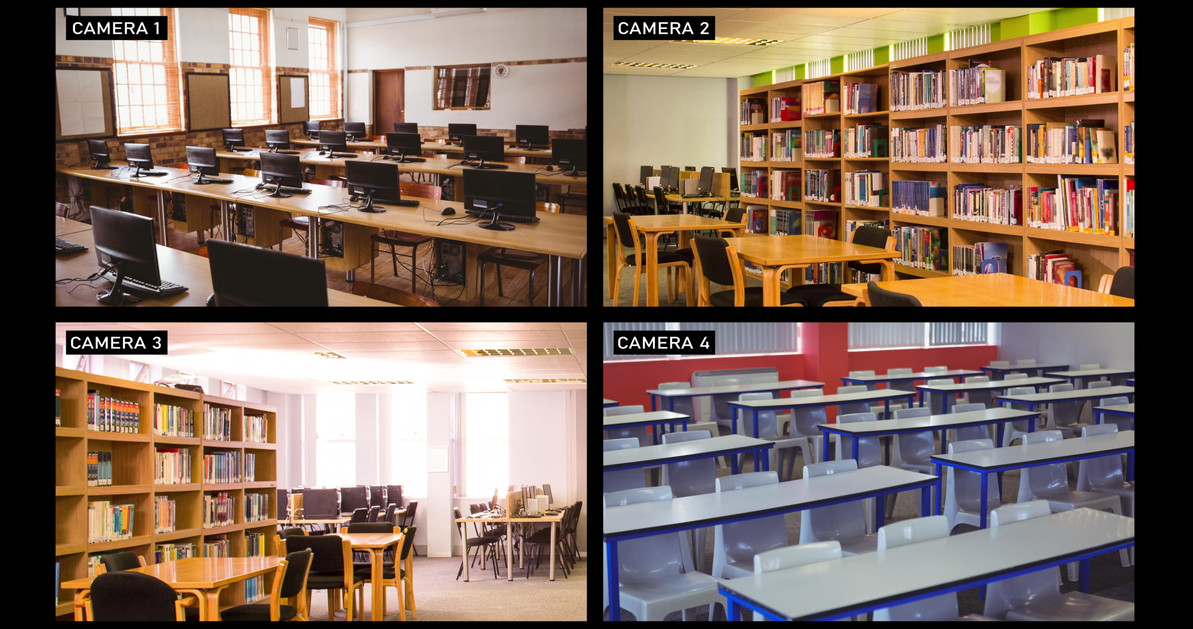
Cloud vs. On-Prem VMS for Schools: Complete Guide | Affinitech
Cloud vs On-Prem VMS for Schools: Complete Guide to School Video Management Systems
Should your school use a cloud-based or on-premises video management system? This guide explains the differences between cloud VMS and traditional on-premises VMS for schools, including storage, cybersecurity, remote access, scalability, reliability, costs, and long-term management.
Cloud vs On-Prem VMS: Why the Decision Matters for Schools
A modern school video management system (VMS) is much more than software for recording security camera footage. A VMS provides the infrastructure schools use to manage cameras, record and search video, investigate incidents, control user access, monitor campuses, and integrate video surveillance with other security technologies.
For many schools and universities, one of the most important technology decisions is whether to deploy a cloud VMS, an on-premises VMS, or a hybrid architecture that combines elements of both.
The right choice depends on several factors, including the size of the campus, existing IT infrastructure, available bandwidth, cybersecurity requirements, video retention policies, staffing, budget, and the school's plans for future expansion.
The decision should therefore be based on the school's overall security and technology strategy rather than simply choosing the system with the lowest initial price.
Cloud vs. On-Prem VMS for Schools: Quick Answer
Cloud VMS stores or manages video using cloud infrastructure and can simplify remote access, centralized management and multi-campus scalability. On-premises VMS uses local servers, recording appliances or storage controlled by the school or district and can provide greater local control over infrastructure and data.
The best VMS for a school depends on camera count, campus size, Internet connectivity, storage requirements, cybersecurity policies, IT resources, retention requirements and budget.
For many districts, a hybrid VMS can provide a practical middle ground by combining local recording or processing with cloud-based management, storage or remote access.
Explore the School VMS Pillar Guide
This article is part of Affinitech Store's school video management system content cluster.
Video Management Systems for Schools & Universities →What Is a School Video Management System?
A school video management system is software and supporting infrastructure used to manage video surveillance cameras across an educational facility or campus. The VMS provides a central environment for viewing live video, recording footage, searching historical recordings, managing users, configuring cameras, and investigating incidents.
Depending on the platform, a VMS can also provide advanced capabilities such as artificial intelligence analytics, video search, automated alerts, camera health monitoring, mobile access, maps, event management, access-control integration, and cloud services.
What Does a VMS Do?
- Manages connected security cameras
- Records and stores surveillance video
- Provides live camera viewing
- Allows authorized users to search recorded footage
- Supports incident investigation
- Provides user permissions and access controls
- Monitors camera and system health
- May integrate with access control, alarms, analytics, and other security systems
School Video Surveillance Statistics
Video surveillance is already a major component of school security infrastructure in the United States. According to the National Center for Education Statistics (NCES), 93 percent of public schools reported using security cameras to monitor the school during the 2021–22 school year. NCES also reported that 97 percent controlled access to school buildings during school hours.
NCES data also shows how widespread camera use has become: the percentage of public schools reporting the use of security cameras increased from 61 percent in 2009–10 to 93 percent in 2021–22.
What These Numbers Mean for VMS Planning
Because cameras are already widely deployed across U.S. public schools, the next challenge for many districts is not simply adding cameras. It is determining how those cameras should be managed, recorded, secured, searched, maintained, and integrated. That makes the VMS architecture an important part of long-term school security planning.
Source: U.S. Department of Education, National Center for Education Statistics, School Survey on Crime and Safety (SSOCS), including 2021–22 data.
What Is a Cloud VMS for Schools?
A cloud VMS for schools uses cloud infrastructure to provide some or all of the video management, system administration, storage, analytics, or monitoring capabilities associated with the surveillance system.
Cloud architectures vary significantly between manufacturers. Some systems record video primarily in the cloud. Others use cameras or edge devices for local processing and storage while using cloud services for management and remote access.
For this reason, schools should avoid treating every product marketed as a "cloud VMS" as identical.
Common Characteristics of Cloud VMS
- Remote system administration
- Centralized management across multiple buildings
- Cloud-based user management
- Remote video access
- Subscription or recurring licensing models
- Vendor-managed software updates in many deployments
- Simplified expansion for distributed campuses
What Is an On-Premises VMS for Schools?
An on-premises VMS is deployed using infrastructure controlled and maintained by the school, district, university, or its designated IT/security team. Video recording may occur on dedicated servers, network video recorders, storage appliances, or other local infrastructure.
An on-premises deployment can provide organizations with significant control over hardware, storage architecture, network configuration, software deployment, and data location.
Common Characteristics of On-Premises VMS
- Local video recording and storage
- School-controlled server infrastructure
- Local network management
- Greater control over storage architecture
- Potentially lower recurring cloud subscription costs
- Greater responsibility for maintenance and cybersecurity
- Potentially greater customization depending on platform
What About Hybrid VMS for Schools?
Schools do not necessarily have to choose between a completely cloud-based or completely on-premises architecture. A hybrid VMS combines local and cloud capabilities.
For example, cameras may record video locally while administrators use a cloud-based platform for remote management. Another architecture might use edge devices for analytics while retaining selected video in cloud storage.
Hybrid architectures can be particularly useful for districts with multiple buildings, varying network capabilities, existing recording infrastructure, or requirements for local recording combined with remote access.
Three Common VMS Deployment Models
| Architecture | Primary Infrastructure | Typical Strength |
|---|---|---|
| Cloud | Cloud services | Remote management and scalability |
| On-Premises | Local servers/NVR/storage | Local control and infrastructure ownership |
| Hybrid | Combination of local and cloud | Flexibility between local and cloud resources |
Why Schools Need More Than Security Cameras
A camera by itself produces video. A VMS determines how that video becomes usable security information.
Consider a district with several hundred cameras spread across elementary schools, middle schools, high schools, administrative buildings, athletic facilities, and transportation areas. Without centralized management, finding the right camera or recording during an incident can become difficult.
A VMS provides the tools necessary to organize those cameras and recordings into a manageable security system.
Video Management for School Investigations
During an investigation, security personnel may need to determine what happened at a particular entrance, hallway, parking area, or classroom corridor. A capable VMS can make it easier to locate the appropriate camera and time period and review relevant video.
Video Management Across Multiple Buildings
Large districts and universities may operate dozens or hundreds of buildings. Centralized VMS management can help administrators maintain consistent security policies while still allowing authorized personnel to access the video resources appropriate to their responsibilities.
Cloud vs On-Prem VMS by School Type
Elementary Schools
Elementary schools often prioritize controlled entrances, hallway visibility, playground monitoring, visitor management, and straightforward operation. A VMS should make it easy for authorized administrators to access relevant video without requiring extensive technical expertise.
Middle Schools
Middle schools may require broader coverage of entrances, hallways, cafeterias, athletic areas, and outdoor spaces. Integration between cameras, access control, and other security technologies can become increasingly valuable.
High Schools
High schools typically have more complex campuses, multiple entrances, larger athletic facilities, parking areas, specialized classrooms, and greater after-hours activity. A scalable VMS can help manage a larger and more diverse camera environment.
Universities
Higher education environments can include large distributed campuses, residence halls, research facilities, laboratories, parking structures, athletic facilities, and public spaces. Universities may therefore require highly scalable VMS architectures with granular permissions and multi-building management.
A VMS Should Be Part of a Layered School Security Strategy
Schools should not evaluate video management systems in isolation. CISA's K-12 School Security Guide describes school security as a systems-based approach involving physical security technology, personnel, policies and procedures, building design, and training. CISA specifically identifies CCTV and electronic security technology as components of a broader physical security system.
That means a VMS should support—not replace—other security measures.
Video Surveillance
Cameras and VMS provide visual awareness and recorded evidence.
Access Control
Electronic door systems control authorized physical access.
Visitor Management
Visitor systems help schools manage and document authorized visitors.
Emergency Communications
Notification systems help communicate information during emergencies.
School VMS Privacy and Data Considerations
Schools should consider privacy before selecting and deploying a VMS. The U.S. Department of Education notes that video systems can raise privacy and legal considerations, including circumstances in which video may constitute an education record under FERPA. The Department also recommends that schools consider where cameras are placed, what information is collected, how recordings are retained, and applicable federal and state requirements.
For this reason, VMS selection should involve appropriate administrators, IT personnel, security personnel, and legal/privacy stakeholders.
Questions Schools Should Ask
- Where will video be recorded and stored?
- Who can view live and recorded video?
- How are user permissions managed?
- How long will video be retained?
- How will recordings be preserved when an incident occurs?
- How is video protected from unauthorized access?
- What state and local privacy requirements apply?
Related School Security Resources
Cloud vs on-premises VMS selection is only one part of a complete school security architecture. Continue building your campus security strategy with these related Affinitech Store resources:
- Complete Guide to School Security Cameras for K-12 & Higher Education
- School Access Control Systems: Complete Guide for K-12 & Universities
- School Door Access Systems
- How AI Cameras Help Protect Younger Students
- School Parking Lot Surveillance
Planning a New School VMS?
Choosing between cloud, on-premises, and hybrid video management can be difficult. Affinitech Store can help schools evaluate camera requirements, existing infrastructure, storage needs, VMS architecture, and long-term scalability.
Request a School Security Assessment Contact an Education Security SpecialistResearch Sources
Statistics and policy information in this article are based on federal education and school-security resources, including the National Center for Education Statistics (NCES), the U.S. Department of Education, and the Cybersecurity and Infrastructure Security Agency (CISA).
The information provided is intended for educational and planning purposes. Schools and districts should consult appropriate legal, privacy, IT, facilities, and security professionals when developing surveillance policies and selecting security technology.
Cloud vs. On-Premises VMS for Schools: Complete Comparison
Choosing between a cloud video management system for schools and an on-premises VMS requires more than comparing equipment prices. School administrators, IT departments, security directors and purchasing teams should evaluate storage, cybersecurity, network infrastructure, scalability, maintenance, remote access and long-term ownership costs.
A third option, hybrid VMS, can combine local recording with cloud management or cloud storage. For many school districts, this approach can provide a balance between local control and remote accessibility.
Which Is Better for Schools: Cloud or On-Premises VMS?
There is no single VMS architecture that is best for every school. The right solution depends on the district's size, number of cameras, available IT resources, Internet infrastructure, video retention requirements, cybersecurity policies and budget.
Quick Answer
Cloud VMS may be attractive for districts that prioritize remote management, centralized administration and scalability. On-premises VMS may be preferable when local infrastructure control, local recording and existing server resources are priorities. Hybrid VMS can provide a combination of both approaches.
Advantages and Disadvantages of Cloud VMS for Schools
Cloud VMS Advantages
- Centralized remote administration
- Convenient access for authorized personnel
- Strong scalability for growing districts
- Reduced dependence on local VMS servers
- Potentially simplified software maintenance
- Useful for districts with geographically separated campuses
- Can support mobile access depending on the platform
Cloud VMS Considerations
- Recurring licensing or subscription costs
- Internet connectivity requirements vary by architecture
- Long-term storage costs should be evaluated
- Vendor cybersecurity practices must be reviewed
- Data storage and retention policies should be documented
- Cloud platforms differ substantially in architecture and capabilities
Advantages and Disadvantages of On-Premises VMS for Schools
On-Premises VMS Advantages
- Greater control over local infrastructure
- Local recording can reduce Internet dependence
- School controls local storage architecture
- Can leverage existing servers and network infrastructure
- Useful for schools with experienced IT departments
On-Premises VMS Considerations
- Higher infrastructure requirements
- Local IT resources are required
- Servers and storage eventually require replacement
- Expansion may require additional hardware
- Remote access must be securely configured
Why Schools Are Considering Hybrid VMS
Hybrid video management systems can provide a practical transition between traditional on-premises surveillance and cloud video surveillance for schools.
A hybrid architecture may allow schools to retain local recording while adding cloud-based administration, remote access, cloud backup or selected cloud services.
This can be particularly useful for school districts with an existing investment in cameras and recording infrastructure that are not ready for a complete migration to cloud video surveillance.
Examples of Hybrid School VMS Deployments
- Local recording with cloud-based system management
- Local recording with selected event clips uploaded to the cloud
- Existing on-premises cameras combined with cloud-managed cameras
- Cloud backup of critical recordings
- Centralized cloud administration across multiple local VMS installations
School VMS Cost: Look Beyond the Initial Purchase
The initial camera and VMS purchase is only one component of the total cost of a school surveillance system. Districts should evaluate the complete lifecycle cost of the technology.
| Cost Category | Cloud VMS | On-Premises VMS |
|---|---|---|
| Camera Hardware | Required | Required |
| VMS Licensing | Often subscription-based | Varies by manufacturer |
| Storage | Often recurring cloud expense | Local storage hardware and replacement |
| Server Hardware | May be reduced or eliminated depending on architecture | Typically required |
| IT Administration | Potentially reduced | Typically greater |
| Internet Connectivity | Important consideration | Local recording may reduce dependence |
| Hardware Replacement | Potentially reduced server replacement | Server and storage replacement planning required |
Budgeting Recommendation
School districts should compare cloud, on-premises and hybrid VMS solutions using a five- to ten-year total cost of ownership model. Include hardware, software, storage, licensing, maintenance, support, network infrastructure, IT labor and replacement costs.
How Much Storage Does a School Video Recording System Need?
Storage requirements vary significantly between schools. A small elementary school with 30 cameras and short retention requirements will have dramatically different storage requirements than a university with hundreds of cameras and extended retention.
Factors That Determine School VMS Storage
- Number of cameras: More cameras generally require more storage.
- Resolution: Higher-resolution video can require additional storage.
- Frame rate: Higher frame rates can increase storage requirements.
- Compression: Modern compression technologies can reduce bandwidth and storage requirements.
- Retention: Longer retention periods require more storage.
- Recording schedule: Continuous recording and event-based recording have different storage requirements.
- AI analytics: Analytics and metadata can influence system architecture and storage requirements.
Before selecting a VMS, schools should define how long video needs to be retained and which cameras require continuous recording versus event-based recording.
Cybersecurity Best Practices for School VMS
A school video management system should be considered part of the institution's broader cybersecurity environment. Cameras, VMS servers, NVRs, cloud accounts, mobile applications and network infrastructure all require appropriate security controls.
School VMS Cybersecurity Checklist
- Use strong passwords and authentication controls.
- Implement role-based access permissions.
- Use secure network segmentation where appropriate.
- Keep firmware and VMS software updated.
- Disable unused services and accounts.
- Monitor administrative access.
- Maintain an inventory of cameras and security devices.
- Review vendor cybersecurity practices.
- Create procedures for security updates and incident response.
- Secure remote access to the VMS.
Privacy and FERPA Considerations for School Video Surveillance
Schools should establish video surveillance policies before implementing or expanding a VMS. Video may contain personally identifiable information and, depending on the circumstances, may constitute an education record under FERPA.
The U.S. Department of Education explains that a photograph or video can be directly related to a student when the student is the focus of the recording, when there is a specific focus on a particular student, or when the content is used for a disciplinary action involving a student.
The Department provides a school surveillance video involving students in a fight as an example of video that may be directly related to those students. Schools should therefore establish appropriate policies for video access, retention, disclosure and preservation.
Important Privacy Consideration
FERPA does not automatically make every video containing a student an education record. Whether a video is directly related to a student is determined by the circumstances. Schools should work with qualified privacy and legal professionals when developing surveillance policies.
Cloud vs. On-Prem VMS by School Type
| School Type | Typical VMS Priorities | Architectures to Evaluate |
|---|---|---|
| Elementary School | Entrances, hallways, playgrounds, visitor areas and simple administration | Cloud or hybrid |
| Middle School | Campus visibility, access control integration and scalability | Cloud, on-premises or hybrid |
| High School | Large camera counts, parking lots, athletic facilities and multiple buildings | Enterprise cloud, on-premises or hybrid |
| School District | Centralized management across multiple campuses | Cloud or hybrid |
| University | Large distributed campus, extensive integrations and granular permissions | Enterprise cloud, on-premises or hybrid |
15 Questions to Ask Before Buying a School VMS
- Where is video actually recorded?
- Where is recorded video stored?
- What happens if the Internet connection fails?
- How long can video be retained?
- How is video protected from unauthorized access?
- Does the system support multi-factor authentication?
- Does the VMS support role-based permissions?
- How many cameras can the platform support?
- Can multiple schools be centrally managed?
- Can storage be expanded?
- Does the VMS support AI analytics?
- Can the system integrate with school access control?
- Can it integrate with emergency notification systems?
- What are the software licensing costs?
- What will the system cost over five and ten years?
Need Help Choosing a School VMS?
Choosing between cloud, on-premises and hybrid video management can be difficult. The right architecture depends on your school's camera count, retention requirements, network infrastructure, IT resources and long-term security objectives.
Affinitech Store can help your school or district evaluate the technology options.
Request a School Security Assessment Contact an Education Security SpecialistRelated School Security Resources
Continue building your school's layered security strategy with these related resources:
- Complete Guide to School Security Cameras
- School Access Control Systems: Complete Guide for K-12 & Universities
- Video Management Systems (VMS) for Schools & Universities
- School Door Access Systems
- AI Security Cameras for Schools
- School Parking Lot Surveillance
Sources
National Center for Education Statistics (NCES): The NCES Digest of Education Statistics reports that 92.6% of public schools used security cameras to monitor the school during the 2021–22 school year and 97.1% reported controlled access to school buildings during school hours.
U.S. Department of Education — Student Privacy: The U.S. Department of Education provides guidance explaining when photographs and videos may constitute education records under FERPA, including circumstances involving school surveillance video.
CISA — K-12 School Security: CISA's K-12 school security guidance emphasizes layered security, technology planning, lifecycle considerations, maintenance, policies, privacy and cybersecurity when implementing school security technologies.
This content is provided for educational and technology-planning purposes and should not be considered legal, privacy, cybersecurity or compliance advice. Schools should consult qualified professionals regarding applicable requirements.
Step-by-Step Guide to Implementing a School VMS
Whether a school chooses cloud, on-premises or hybrid video management, successful implementation starts with planning. A VMS should be designed around the school's security objectives rather than simply selecting a recording platform and connecting cameras.
The following process can help school districts develop a scalable school video management system that supports current requirements while allowing for future expansion.
School VMS Implementation at a Glance
- Assess the existing security infrastructure.
- Identify security objectives and high-priority areas.
- Inventory existing cameras and network infrastructure.
- Determine storage and video retention requirements.
- Evaluate cloud, on-premises and hybrid VMS architectures.
- Select cameras and VMS software.
- Design the network and cybersecurity architecture.
- Configure user permissions and policies.
- Integrate access control and other security technologies.
- Test, document and train personnel.
Step 1: Conduct a School Security Assessment
Begin by evaluating the entire campus. Identify entrances, hallways, parking areas, playgrounds, athletic facilities, administrative areas, loading zones, perimeter locations and other areas requiring video coverage.
The assessment should also document existing cameras, recording equipment, network switches, cabling, Internet connectivity and server infrastructure.
Step 2: Define Security Objectives
Determine what the VMS needs to accomplish. A school may prioritize visitor monitoring while a large high school may need extensive parking lot surveillance, athletic facility monitoring and integration with access control.
- Campus situational awareness
- Entrance monitoring
- Emergency response
- Incident investigation
- Access control verification
- Parking lot surveillance
- Athletic facility monitoring
- After-hours security
Step 3: Inventory Existing Cameras
Before replacing an existing VMS, determine which cameras can be reused. Open-platform VMS solutions may allow schools to retain compatible cameras while upgrading the recording and management layer.
This can potentially reduce the cost of a phased migration.
Step 4: Calculate Storage Requirements
Calculate storage based on camera count, resolution, frame rate, compression, recording schedule and retention requirements. Schools should also determine which cameras require continuous recording and which can use event-based recording.
Step 5: Evaluate Cloud, On-Premises and Hybrid Architecture
At this point, compare architectures based on the district's actual requirements rather than assuming that cloud or on-premises is automatically better.
| If Your School Prioritizes... | Consider Evaluating... |
|---|---|
| Centralized remote management | Cloud VMS |
| Maximum local control | On-premises VMS |
| Existing server investment | On-premises or hybrid VMS |
| Multiple geographically separated campuses | Cloud or hybrid VMS |
| Local recording plus remote management | Hybrid VMS |
| Limited local IT resources | Cloud or managed VMS |
Step 6: Select the VMS Platform
The VMS should be selected based on camera compatibility, scalability, storage architecture, user management, analytics, integrations and long-term support.
Step 7: Design the Network
Video surveillance can place substantial demands on a school network. Network design should account for camera bandwidth, PoE requirements, uplinks, recording traffic, remote viewing and other applications sharing the infrastructure.
Step 8: Configure Security and User Permissions
Not every employee should have unrestricted access to surveillance video. Configure role-based permissions so administrators, security personnel, IT staff and other authorized users receive only the access appropriate for their responsibilities.
Step 9: Integrate Other Security Systems
A modern VMS becomes considerably more useful when integrated with other security technologies. Depending on the platform, schools may integrate video with access control, alarms, analytics, visitor management and emergency systems.
Step 10: Test, Train and Document
Before placing the system into full operation, test recording, playback, remote access, alerts, permissions, storage, failover and integrations.
Document the system architecture and train administrators and security personnel on video search, incident export, user management and system troubleshooting.
VMS Solutions for Schools to Consider
There is no single VMS platform that is ideal for every educational institution. Affinitech Store offers multiple professional video management technologies, including solutions from Milestone, Hanwha and Exacq, along with cloud-oriented security solutions. Affinitech also provides VMS configuration and integration services. :contentReference[oaicite:1]{index=1}
| VMS / Platform Category | Potential School Application | Why Evaluate It? |
|---|---|---|
| Milestone XProtect | Large schools, districts and multi-site deployments | Open-platform architecture and enterprise scalability |
| Milestone Kite | Schools looking for cloud-oriented video management | Cloud-managed approach with flexible storage options |
| Hanwha Wisenet WAVE | Schools seeking an open VMS with Hanwha ecosystem compatibility | Scalable VMS option for professional video surveillance |
| ExacqVision | Schools and organizations requiring scalable VMS deployments | Open architecture and enterprise-oriented capabilities |
| Cloud Video Platforms | Districts prioritizing remote management and simplified infrastructure | Reduced dependence on traditional local VMS infrastructure |
Important: Product and platform capabilities vary by model, license, deployment architecture and current manufacturer specifications. A technology assessment should be completed before selecting a specific solution.
Recommended VMS Evaluation Categories
Rather than selecting a VMS based solely on brand, evaluate the following capabilities:
Camera and site expansion
Authentication and access controls
AI-assisted investigation
Access control and alarms
Which VMS Architecture Makes Sense for Your School?
Small Elementary School
A smaller elementary school with a relatively modest camera count may benefit from a straightforward cloud or hybrid solution, particularly when local IT resources are limited.
Priority areas may include entrances, hallways, playgrounds, parking areas and administrative offices.
Middle School
Middle schools may require a more comprehensive VMS as the number of buildings, students, entrances and activity areas increases. Integration with access control and event-based analytics can become increasingly valuable.
High School
High schools frequently have larger campuses, parking lots, athletic facilities, multiple entrances and higher camera counts. An enterprise VMS or hybrid architecture may be appropriate when centralized management and scalability are priorities.
Multi-School District
School districts managing multiple campuses should prioritize centralized administration, standardized security policies, scalable storage and the ability to manage multiple locations without creating unnecessary complexity.
University or Higher Education Campus
Universities often require enterprise-scale VMS architectures capable of supporting large camera deployments, multiple buildings, residence halls, parking structures, research facilities and distributed security operations.
School VMS Buying Guide: What Should You Specify?
| Specification | Questions to Ask |
|---|---|
| Camera Capacity | How many cameras can the system support today and in the future? |
| Storage | How much storage is required for the desired retention period? |
| User Management | Does the platform support role-based permissions? |
| Cybersecurity | How are accounts, communications and stored video protected? |
| Analytics | What AI analytics are supported? |
| Integrations | Can the VMS integrate with access control, alarms and other systems? |
| Support | Who provides installation, configuration, training and ongoing support? |
Request a School VMS Consultation
Not sure whether your school should use cloud, on-premises or hybrid video management?
Let Affinitech help evaluate your camera count, storage requirements, network infrastructure, cybersecurity objectives and future expansion plans.
Request a School Security Assessment Contact an Education Security SpecialistRequest a School Security Assessment
Tell us about your school or district and the type of VMS solution you are considering.
Frequently Asked Questions About Cloud vs. On-Prem VMS for Schools
1. Is cloud VMS better than on-premises VMS for schools?
Not necessarily. Cloud and on-premises VMS platforms have different advantages. Cloud VMS may simplify remote management and scalability, while on-premises systems can provide greater local control. Hybrid systems combine elements of both.
2. What is a cloud VMS for schools?
A cloud VMS is a video management platform that uses cloud infrastructure for some or all system management, video storage or processing functions. The exact architecture varies by provider.
3. What is an on-premises school VMS?
An on-premises VMS is deployed using local servers, storage and network infrastructure controlled by the school or district.
4. Can a school use both cloud and on-premises video surveillance?
Yes. A hybrid architecture can combine local recording or processing with cloud management, storage, backup or remote access depending on the platform.
5. Does a cloud VMS require Internet access?
Cloud functionality generally requires network connectivity, but the impact of an Internet outage depends on the specific system architecture. Some platforms can continue recording locally during connectivity interruptions.
6. How long should a school keep security camera footage?
There is no universal retention period that applies to every school. District policies, state requirements, investigations, operational needs and storage capacity should be considered when establishing retention schedules.
7. Can school VMS systems integrate with access control?
Many professional VMS platforms support integration with access control systems. This can allow security personnel to associate door events with nearby camera footage for faster incident investigation.
8. Can schools use AI analytics with a VMS?
Yes. Depending on the camera and VMS platform, schools may use analytics for functions such as object detection, motion analysis, perimeter monitoring and video search.
9. Is cloud video surveillance secure for schools?
Security depends on the provider, system architecture and configuration. Schools should evaluate authentication, encryption, access controls, audit logging, software updates, data handling and vendor security practices.
10. Does an on-premises VMS require a server?
Traditional on-premises VMS deployments commonly use local servers, recording appliances or NVR hardware. Exact requirements vary by manufacturer and system size.
11. Is cloud VMS more expensive than on-premises VMS?
Not necessarily. Cloud systems may reduce certain upfront infrastructure expenses but introduce recurring licensing or storage costs. On-premises systems can require greater initial hardware investment and ongoing IT maintenance. Total cost of ownership should be compared over several years.
12. What VMS is best for a multi-school district?
A scalable enterprise VMS, cloud platform or hybrid architecture may be appropriate depending on the district's camera count, network architecture, IT resources and management requirements.
13. Can schools migrate from on-premises VMS to cloud?
Yes. Migration can be performed in phases depending on camera compatibility, VMS architecture, network capacity, storage requirements and the selected cloud platform.
14. What should schools consider when selecting a VMS?
Schools should evaluate camera compatibility, scalability, storage, retention, cybersecurity, user permissions, analytics, integrations, licensing, support and total cost of ownership.
15. Can Affinitech help design a school VMS?
Yes. Affinitech provides security system design, VMS configuration and integration services and can help organizations evaluate video surveillance architecture and technology options. :contentReference[oaicite:2]{index=2}
Build the Right Video Management System for Your School
Cloud, on-premises and hybrid VMS platforms can all play an important role in modern school security. The key is selecting an architecture that matches your campus, technology infrastructure, budget and long-term security objectives.
Don't purchase a VMS before you understand your camera, storage, network and retention requirements.
Request a School Security Assessment Contact an Education Security SpecialistFor a broader overview of video management technology, see our Video Management Systems (VMS) for Schools & Universities guide.
Schools evaluating a complete surveillance strategy should also review our Complete Guide to School Security Cameras .
For entrance security, connect the VMS with a properly designed School Access Control System .
Schools interested in reducing infrastructure requirements can also explore Cloud-Based Video Surveillance Solutions .
School VMS Definitions
- What is a VMS?
- A Video Management System (VMS) is software used to manage, record, search, view and administer video from security cameras.
- What is a school VMS?
- A school VMS is a video management platform configured specifically to manage surveillance cameras and video security across educational facilities and campuses.
- What is a cloud VMS?
- A cloud VMS uses cloud infrastructure for some or all video management, processing, storage or system administration functions.
- What is an on-premises VMS?
- An on-premises VMS operates on local servers, appliances or storage infrastructure managed by the organization.
- What is a hybrid VMS?
- A hybrid VMS combines local and cloud resources to provide a combination of on-site recording, processing, management or cloud services.
Related School Security Resources
Recent Posts
-
Elementary School Classroom Surveillance: Benefits, Privacy Considerations & Best Practices | Affinitech Store
Few school security decisions raise as many questions as placing cameras inside elementary classroo … -

Best Lockdown Solutions for Elementary Campuses: Complete K-5 School Lockdown Guide | Affinitech Store
When an emergency happens at an elementary school, the first minutes matter most. Young students dep … -

Hybrid VMS for School Districts: Complete Guide to Cloud & On-Prem Video Management | Affinitech Store
School districts rarely get to design a surveillance system from a blank page. Most are managing a m … -
Best Security Cameras for Middle Schools | School Security Camera Guide
Best Security Cameras for Middle Schools: Complete Middle School Security Camera Guide Choosing the …