
Pelco FMCI-PF1M Mini 10/100 Mbps Fiber Media Converter, SFP Port


Description
Pelco FMCI-PF1M Mini 10/100 Mbps Fiber Media Converter, SFP Port
The Pelco FMCI-PF1M is a miniature, single-channel 10/100 Mbps Ethernet fiber media converter that links IP cameras and network equipment over optical fiber. The RJ-45 port autonegotiates 10/100 Mbps and the optical port runs at 100 Mbps full duplex through a customer-installed FSFP small form-factor pluggable module, ordered separately, which sets the fiber type, connector and distance, such as the FSFP-EFSM2LC20. The compact housing wall mounts where space is limited and accepts 22 to 27 VAC or 8 to 24 VDC. It is hardened for -40 to 75 C operation in traffic, transportation and campus installations.
Key Specifications
| Part number | FMCI-PF1M |
| Type | Miniature single-channel Ethernet media converter |
| Channels | 1 |
| Electrical port | RJ-45, 10/100 Mbps, auto MDI/MDI-X |
| Optical port | 100 Mbps full duplex via FSFP module (sold separately) |
| Power input | 22 to 27 VAC or 8 to 24 VDC |
| Power consumption | 2 W |
| Mounting | Wall or surface mount |
| Operating temperature | -40 to 75 C (-40 to 167 F) |
Full specifications are listed in the Detailed Specifications tab.
Installation
Insert the FSFP module into the optical port and connect the fiber, connect the camera or switch to the RJ-45 port, and apply power to the terminal block. Converters at each end of the link must use compatible FSFP modules and the same fiber type.
Compatible Products
Use Pelco FSFP modules matched to the 100 Mbps optical rate; other Pelco FSFP fiber and connector options are available.
Related Products
- Pelco FMCI-PF2 Dual-Channel 10/100 Mbps Fiber Media Converter
- Pelco FMCI-PF1POE 10/100 Mbps Fiber Media Converter with PoE+ Output
- Pelco FMCI-PG1M Mini Gigabit Fiber Media Converter
Explore More
- Shop Converters at Affinitech Store
- Browse all Network Camera Accessories at Affinitech Store
- See all Pelco products at Affinitech Store
Frequently Asked Questions About the Pelco FMCI-PF1M
Does the FMCI-PF1M include an SFP module?
No. It requires a Pelco FSFP module, ordered separately, which sets the fiber type, number of fibers, connector and distance. Pelco FSFP modules are required to qualify for the manufacturer warranty.
What data rates does it support?
The RJ-45 port autonegotiates 10/100 Mbps, full or half duplex. The optical port runs at 100 Mbps full duplex, so use a 100 Mbps Fast Ethernet FSFP module.
How far can it send data over fiber?
Distance depends on the FSFP module chosen.
How is it powered?
It accepts 22 to 27 VAC or 8 to 24 VDC through a terminal block. Pelco recommends the FEXTPS external power supply, sold separately.
Can it be rack mounted?
No. The mini unit wall or surface mounts where space is limited.
Is it rated for outdoor cabinets?
It operates from -40 to 75 C, 0 to 95 percent noncondensing humidity, and is designed to meet NEMA TS 1/TS 2 and Caltrans traffic signal equipment environmental standards.
Detailed Specifications
Pelco FMCI-PF1M Specifications
| Specification | Details |
|---|---|
| General | |
| Model | FMCI-PF1M |
| Description | Miniature single-channel 10/100 Mbps Ethernet media converter, requires FSFP module |
| Channels | 1 |
| Electrical | |
| Electrical port | RJ-45, IEEE 802.3, 10/100 Mbps, autonegotiating, full or half duplex |
| MDI/MDI-X | Automatic |
| Power input | 22 to 27 VAC or 8 to 24 VDC |
| Power connector | Terminal block |
| Power consumption | 2 W |
| LED indicators | Optical link, data activity |
| MTBF | Greater than 100,000 hours |
| Optical | |
| Optical data rate | 100 Mbps, full duplex |
| Wavelength, fibers, connector | Set by the FSFP module (sold separately) |
| Fiber requirements | Multimode ITU-T G.651; single-mode ITU-T G.652 |
| Mechanical | |
| Size | Miniature |
| Mounting | Wall or surface mount |
| Rack slots | Not rack mountable |
| Dimensions | 3.3 D x 2.5 W x 1.1 H in (8.4 x 6.4 x 2.8 cm) |
| Unit weight | Under 1.00 lb (0.45 kg) |
| Environmental | |
| Operating temperature | -40 to 75 C (-40 to 167 F) |
| Storage temperature | -40 to 85 C (-40 to 185 F) |
| Relative humidity | 0 to 95 percent, noncondensing |
| Certifications | |
| Approvals | CE, FCC Part 15, UL Listed, C-Tick, IEEE 802.3 |
| Standards | Designed to meet NEMA TS 1/TS 2 and Caltrans traffic signal control equipment environmental standards |
| Accessories | |
| Required | Pelco FSFP module(s), sold separately |
| Recommended power supply | FEXTPS (100-240 VAC in, 9 VDC out) |
| Shipping | |
| Shipping weight | 2.00 lb (0.90 kg) |
Related Products
Related Products

Pelco FMCI-PF2 Dual-Channel 10/100 Mbps Fiber Media Converter, SFP
Brand: Pelco

Pelco FMCI-PG1M Mini Gigabit Fiber Media Converter, SFP Port
Brand: Pelco
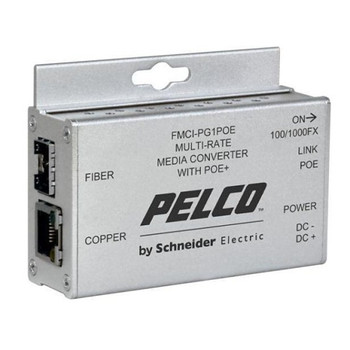
Pelco FMCI-PF1POE 10/100 Mbps Fiber Media Converter with PoE+ Output
Brand: Pelco
Pelco FMCI-PG1 Gigabit Fiber Media Converter, SFP Port, Standard Size
Brand: Pelco

Pelco FMCI-AF1MM1STM Mini Multimode Fiber Media Converter A, ST
Brand: Pelco