
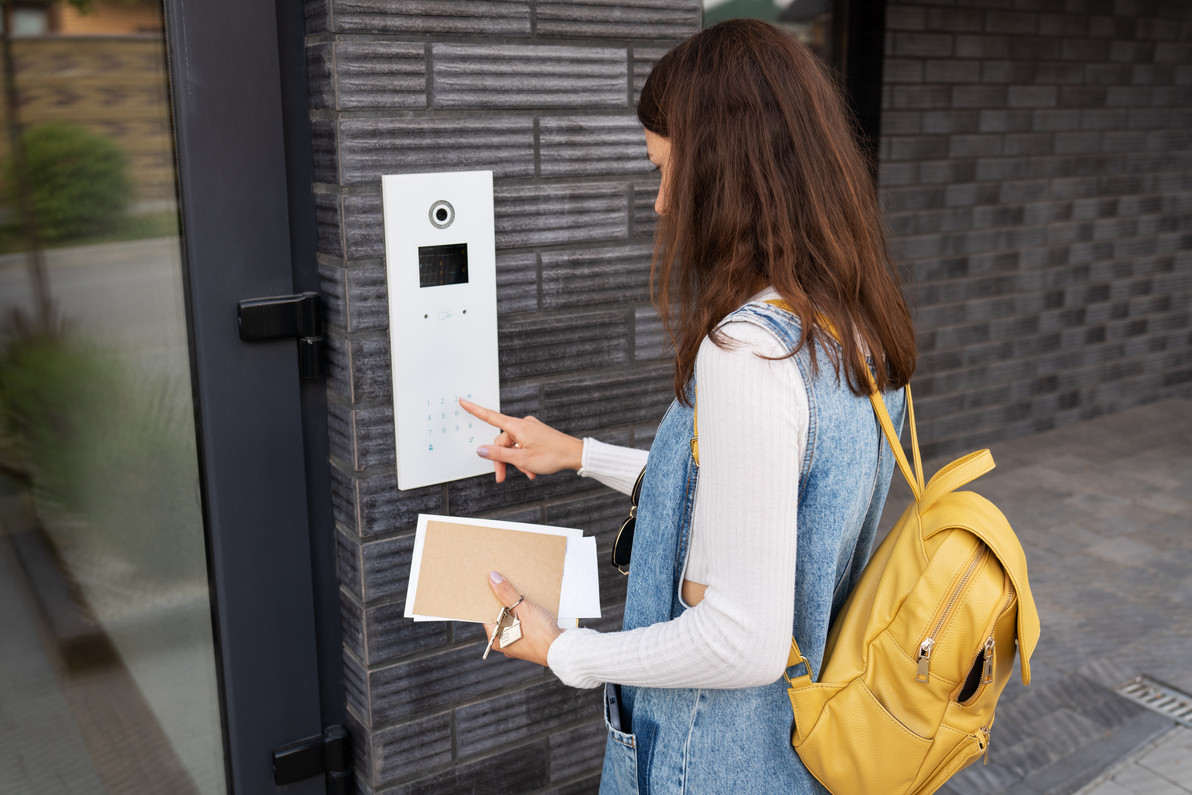
Managing Student Access Permissions in Schools: Complete K-12 & Campus Access Control Guide | Affinitech Store
Most school access control conversations focus on staff and visitors. But in middle schools, high schools and especially colleges and universities, students also carry credentials that open doors to buildings, labs, locker rooms, parking areas and residence halls. Managing student access permissions in schools means giving students the access they need for their schedules and activities, and nothing more, while keeping permissions accurate as enrollment, schedules and activities change throughout the year.
This guide is part of the Affinitech school access control series. For a full overview, start with our pillar article, School Access Control Systems: Complete Guide for K-12 Schools & Universities. This article focuses on how to design, assign and maintain student access control permissions across different types of schools and campuses.
Quick Answer: Schools manage student access permissions best by following the principle of least privilege: giving students access only to the doors, times and areas their schedules and activities require. Effective practices include role- and group-based access levels, time-based schedules, automatic expiration for temporary access, synchronization with student information or identity systems, fast deactivation of lost credentials, regular permission audits, lockdown overrides and privacy-conscious handling of access logs.
Need Help Structuring Student Access?
Affinitech can help you design access levels, schedules and credential policies that fit your students, buildings and access control platform.
Request a School Security AssessmentWhy Student Access Permissions Need Careful Management
Student permissions change more often than almost any other group in a school's access control system. Students enroll, transfer, graduate, change schedules, join teams and clubs, start internships and move between residence halls. Without a clear structure, permissions quickly become outdated, and outdated permissions become security gaps.
- Over-permissioned credentials. Students who keep access to areas they no longer need increase risk if a credential is lost or shared.
- Shared and lost credentials. Students frequently lend, lose or forget ID cards.
- Frequent change. Semester schedules, athletic seasons and activity rosters all affect who needs access and when.
- Safety-sensitive spaces. Labs, shops, pools, theaters and athletic facilities may require supervision or training.
- Student privacy. Access logs tied to individual students may be subject to privacy requirements.
Student Access and Identification Statistics
97% of Public Schools Control Building Access
According to the National Center for Education Statistics (NCES), 97 percent of public schools controlled access to school buildings during school hours in the 2021–22 school year, making it the most commonly reported safety measure.
Student ID Requirements Are More Common in Older Grades
NCES reports that in 2021–22, 15 percent of secondary/high schools and 14 percent of middle schools required students to wear badges or picture IDs, compared with 6 percent of elementary schools.
Staff Badge Requirements Are Far More Common
In the same survey, 75 percent of elementary schools, 71 percent of middle schools and 60 percent of high schools required faculty and staff to wear badges or picture IDs.
Source: U.S. Department of Education, National Center for Education Statistics (NCES), Safety and Security Practices at Public Schools, School Survey on Crime and Safety (SSOCS), 2021–22.
What Are Student Access Permissions?
Definition — Student Access Permissions: The rules in an access control system that determine which doors, areas and times a student's credential can unlock, typically assigned through access levels or groups based on grade, schedule, activities or housing.
Permissions are usually made up of three building blocks:
| Building Block | What It Defines | Example |
|---|---|---|
| Door groups | Which doors are included | Main student entrance, gym entrance, science lab |
| Schedules | When access is allowed | School days 7:15 a.m. to 3:30 p.m. |
| Access levels | The combination of door groups and schedules assigned to a group of students | "Varsity Athletics" access to the field house during practice hours |
Student Access Needs by School Type
| School Type | Typical Student Credential Use | Common Permissions |
|---|---|---|
| Elementary Schools | Students usually do not carry access credentials | Access managed entirely by staff; focus on entrances, visitors and lockdown |
| Middle Schools | Limited; ID badges more common than door credentials | Identification, library and lunch systems; limited door access |
| High Schools | Student IDs may open designated entrances | Student entrance during arrival, parking lots, athletic facilities, career and technical education spaces |
| Colleges & Universities | Student ID cards and mobile credentials are standard | Residence halls, academic buildings, labs, recreation centers, libraries, parking |
For younger students, see Securing Elementary School Entrances with Access Control.
Best Practices for Managing Student Access Permissions
1. Apply the Principle of Least Privilege
Give students access only to the doors and times they genuinely need. Start with minimal access and add permissions based on documented needs rather than starting broad and trying to remove access later.
2. Use Groups, Not Individual Assignments
Assign permissions through access levels tied to groups such as grade level, residence hall, team or program. When a student joins or leaves a group, their access updates in one step, and permissions stay consistent across students.
3. Build Time-Based Schedules
Schedules restrict access to school hours, practice times or residence hall rules. Holiday and break schedules should automatically limit or suspend access when buildings are closed.
4. Set Automatic Expiration Dates
Temporary access for summer programs, seasonal athletics, special events and short-term courses should expire automatically. Graduating students' credentials should also have end dates.
5. Synchronize With Student Information and Identity Systems
Where the access control platform supports it, synchronizing with the student information system (SIS) or directory can automatically create, update and remove student records as enrollment changes. This reduces manual work and closes gaps when students withdraw.
6. Deactivate Lost Credentials Immediately
Make it easy for students to report lost cards or phones, and deactivate credentials as soon as a loss is reported. Issue replacements with a new credential number rather than reusing the old one.
7. Protect Safety-Sensitive Spaces
Labs, shops, pools, fitness rooms and theaters should require explicit permissions, and in some cases supervision, training records or staff presence. Some platforms support rules that require a staff credential before student access is allowed.
8. Integrate Lockdown and Emergency Overrides
During a lockdown, student credentials should be suspended automatically while responder credentials remain active. Learn more in Best Lockdown Solutions for Elementary Campuses.
9. Audit Permissions Regularly
Review access levels at the start of each semester and after major schedule changes. Look for students with access they no longer need, inactive credentials and unusual access patterns.
10. Pair Access Events With Video
Integrating access control with video lets administrators verify who used a credential, which helps detect shared or misused cards. See Best VMS Features for Educational Facilities.
Ready to Clean Up Student Access Levels?
Affinitech can review your current access levels, schedules and credentials, then recommend a structure that is easier to manage and more secure.
Contact an Education Security Specialist Get a QuoteSample Student Access Level Structure
The examples below show how a high school or campus might organize student access levels. Actual levels should reflect your buildings, schedules and policies.
| Access Level | Doors | Schedule |
|---|---|---|
| General Student | Designated student entrance | School-day arrival window |
| Student Parking | Parking gate or lot entry | School days |
| Athletics | Field house, locker rooms, training room | Practice and game schedules; seasonal expiration |
| Performing Arts | Theater, music rooms | Rehearsal schedules |
| Career & Technical Education | Shops and labs | Class periods, with staff present |
| Residence Hall (higher education) | Assigned hall entrances and floors | 24/7 for residents; restricted for guests |
| Summer Programs | Program-specific doors | Program dates; automatic expiration |
Student Credential Options
| Credential | Best Fit | Considerations |
|---|---|---|
| Encrypted smart card ID | High schools and universities | Doubles as photo ID; can be lost or shared |
| Key fob | Specific programs or residence halls | Durable; no photo ID |
| Mobile student ID | Colleges and universities | Convenient and harder to share; requires compatible phones and platform support |
| PIN or keypad | Secondary factor for sensitive areas | Codes can be shared; best combined with a card |
Legacy 125 kHz proximity cards are unencrypted and can be cloned, so schools issuing student credentials should use encrypted 13.56 MHz cards or secure mobile credentials. For a deeper comparison, see Keycards vs. Mobile Credentials for School Staff.
Explore badges and cards, ID card printers and access control readers.
Student Privacy and Access Logs
Every time a student uses a credential, the access control system records an event. These logs are valuable for safety and investigations, but they also reveal student movement patterns.
| Privacy Consideration | Best Practice |
|---|---|
| FERPA | Access records directly related to a student and maintained by the school may be considered education records; consult counsel on how they are handled |
| Who can view logs | Limit log access to authorized administrators and security staff |
| Retention | Keep access logs only as long as policy requires |
| Data sharing | Define when logs may be shared with law enforcement or third parties |
| Biometrics | Some states restrict biometric data collection from students; review state law before using biometric credentials |
| Transparency | Tell students and families what is recorded and why |
Important: Student privacy requirements vary by state and institution. This article provides general educational information and should not be treated as legal advice. Consult your district or institutional legal counsel.
Access Control Platforms Available From Affinitech
Permission management features vary by platform, so confirm specific capabilities with Affinitech before purchasing.
Avigilon Alta
Avigilon Alta is a cloud-based access control and video platform with centralized, browser-based management of users, groups and schedules, well suited to schools and districts that want simpler administration.
Lenel
Lenel enterprise access control supports complex access level structures for large districts, colleges and universities with many buildings and user populations.
HID Global
HID Global provides readers, encrypted credentials and mobile access technologies widely used for student IDs in secondary and higher education.
Telaeris
Telaeris offers handheld credential verification tools that can help check student IDs at events, buses and emergency muster points.
Browse network door controllers, access control software and licenses and all access control systems.
Step-by-Step Guide to Managing Student Access
Step 1 — Inventory Doors and Spaces
List every door controlled by access control and identify which ones students need.
Step 2 — Define Student Groups
Identify groups such as grade levels, teams, programs and residence halls.
Step 3 — Build Door Groups and Schedules
Create door groups and schedules that match how students actually use buildings.
Step 4 — Create Access Levels
Combine door groups and schedules into clearly named access levels.
Step 5 — Connect Enrollment Data
Synchronize with the SIS or identity system where supported, or document a manual process.
Step 6 — Issue Secure Credentials
Issue encrypted cards or mobile credentials with photo ID where appropriate.
Step 7 — Configure Overrides
Set up lockdown, holiday and emergency overrides.
Step 8 — Set Expirations
Add end dates for temporary, seasonal and graduating students.
Step 9 — Train Administrators
Train staff who assign permissions, handle lost credentials and review logs.
Step 10 — Audit Every Semester
Review permissions, inactive credentials and exceptions at least each term.
Student Access Permissions Checklist
- ☐ Least-privilege policy documented
- ☐ Student groups and access levels defined
- ☐ Schedules for school days, activities, holidays and breaks
- ☐ Automatic expiration for temporary and seasonal access
- ☐ Enrollment changes reflected promptly
- ☐ Encrypted student credentials issued
- ☐ Lost credential reporting and deactivation process
- ☐ Safety-sensitive spaces restricted
- ☐ Student credentials suspended during lockdown
- ☐ Access events integrated with video
- ☐ Access log permissions and retention defined
- ☐ Permissions audited every semester
Common Student Access Mistakes
| Mistake | Better Approach |
|---|---|
| Giving all students the same broad access | Use group-based access levels tied to real needs |
| Assigning permissions one student at a time | Manage access through groups |
| No end dates on temporary access | Set automatic expirations |
| Withdrawn students keep active credentials | Sync with enrollment data or audit frequently |
| Reissuing the same credential number | Issue a new credential for replacements |
| Unrestricted access to labs and shops | Require explicit permissions and supervision |
| Broad access to student logs | Limit log viewing to authorized staff |
Recommended Product Categories
Access Control Systems
Platforms for managing student groups, schedules and access levels.
Explore Access Control Systems
Badges and Cards
Encrypted student ID credentials.
ID Card Printers
Print student photo IDs on site.
Access Control Readers
Readers for encrypted cards and mobile credentials.
Cloud Access Control
Centralized permission management for schools and districts.
Quick Answers: Student Access Permissions
How should schools manage student access permissions?
Schools should use least-privilege, group-based access levels with time schedules, automatic expirations, prompt updates when enrollment changes, quick deactivation of lost credentials and regular audits.
Do elementary students need access credentials?
Generally no. In most elementary schools, staff control access, and students do not carry door credentials.
What is the principle of least privilege?
The principle of least privilege means giving each user only the access required for their role, schedule and activities, and nothing more.
Frequently Asked Questions About Student Access Permissions
1. What are student access permissions?
Student access permissions are the rules that determine which doors, areas and times a student's credential can unlock.
2. What is an access level?
An access level combines a group of doors with a schedule and is assigned to users who share the same access needs.
3. Should high school students have door access credentials?
Some high schools give students access to designated entrances, parking areas or activity spaces. Access should be limited to specific doors and times.
4. How often should student permissions be reviewed?
At least once per semester and after major schedule, enrollment or activity changes.
5. What happens when a student loses an ID card?
The credential should be deactivated immediately, and a replacement should be issued with a new credential number.
6. Can access control sync with a student information system?
Some access control platforms can integrate with student information or identity systems to update student records automatically. Capabilities vary by platform.
7. How do student credentials work during a lockdown?
Many systems can suspend student and general credentials during a lockdown while keeping responder credentials active.
8. Are student access logs protected by FERPA?
Access records directly related to a student and maintained by the school may be considered education records. Schools should consult legal counsel on handling and disclosure.
9. Should students use mobile credentials?
Mobile credentials are common at colleges and universities. In K-12 schools, encrypted cards are more common because not all students have compatible phones.
10. How can schools prevent students from sharing ID cards?
Photo IDs, video verification of access events, mobile credentials and policies with clear consequences help reduce credential sharing.
11. How should schools handle summer program access?
Create program-specific access levels with schedules and automatic expiration dates that match program dates.
12. How can Affinitech help manage student access?
Affinitech can help design access levels and schedules, recommend credentials and platforms, and provide professional installation and configuration services.
Student Access Definitions
| Term | Definition |
|---|---|
| Access Level | A combination of doors and schedules assigned to a group of users. |
| Door Group | A set of doors managed together in an access control system. |
| Least Privilege | Granting only the minimum access a user needs. |
| SIS | Student Information System; the system of record for enrollment and schedules. |
| Credential Expiration | An automatic end date after which a credential stops working. |
| Access Log | A record of credential use, including time, door and result. |
| Override | A temporary change to normal access rules, such as a lockdown. |
Managing Student Access Permissions: Key Takeaways
- Give students only the access their schedules and activities require.
- Manage permissions through groups and access levels, not individuals.
- Use schedules, holiday rules and automatic expirations.
- Keep permissions aligned with enrollment changes.
- Issue encrypted credentials and deactivate lost ones immediately.
- Protect safety-sensitive spaces and integrate lockdown overrides.
- Handle student access logs with privacy in mind and audit every semester.
Related School Security Resources
- School Access Control Systems: Complete Guide for K-12 Schools & Universities
- Keycards vs. Mobile Credentials for School Staff
- School Door Access Systems: Complete Guide to Secure School Entrances
- Securing Elementary School Entrances with Access Control
- Best Lockdown Solutions for Elementary Campuses
- Best VMS Features for Educational Facilities
Sources
U.S. Department of Education, National Center for Education Statistics (NCES), Safety and Security Practices at Public Schools, School Survey on Crime and Safety (SSOCS), 2021–22.
U.S. Department of Education, Student Privacy Policy Office, FERPA guidance on education records.
Give Students the Right Access, and Nothing More
From access level design to secure student credentials and lockdown overrides, Affinitech can help your school or campus manage student access with confidence.
Request a School Security Assessment Contact an Education Security Specialist
Recent Posts
-
Managing Student Access Permissions in Schools: Complete K-12 & Campus Access Control Guide | Affinitech Store
Most school access control conversations focus on staff and visitors. But in middle schools, high s … -
Playground Security Camera Best Practices: Complete School Playground Surveillance Guide | Affinitech Store
The playground is one of the busiest, most active and hardest-to-supervise areas of any elementary … -

Keycards vs. Mobile Credentials for School Staff: Complete K-12 Access Credential Guide | Affinitech Store
Every school access control system depends on one simple question: what do staff use to open the do … -

Best VMS Features for Educational Facilities: Complete School Video Management Buyer's Guide | Affinitech Store
Schools are installing more cameras than ever, but the camera is only half the system. The video ma …